Day Header
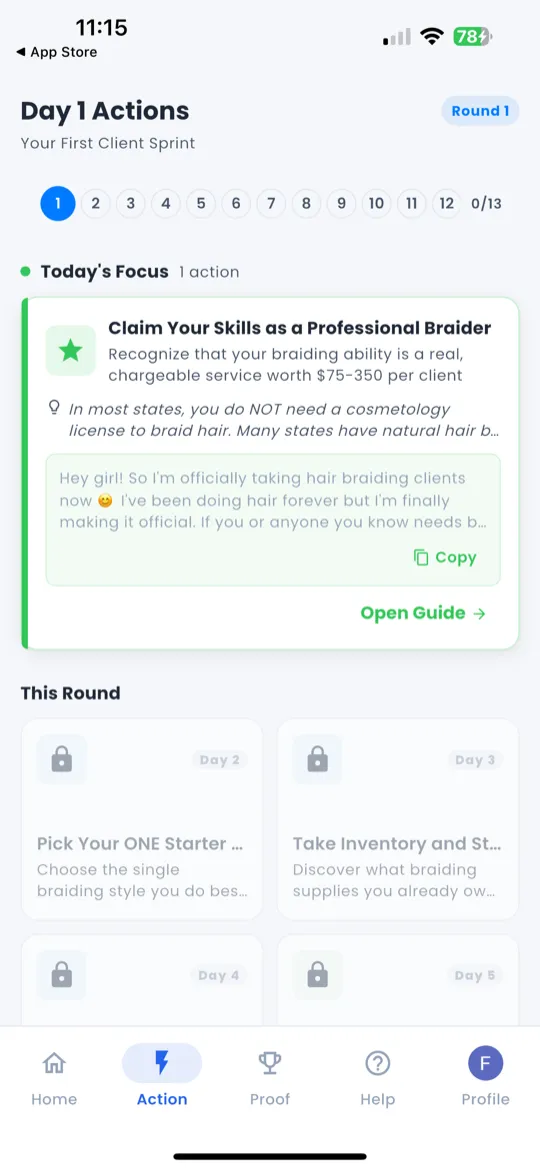
When you open the Action tab, the top of the screen displays "Day X Actions" — telling you exactly which day of your current round you're on and what missions are waiting.
Day-Aligned Action Cards
Below the header you'll see a list of action cards — one for each task assigned to today. Every card includes:
- Task title — a clear description of what to do.
- Copy-paste messages — pre-written scripts you can send immediately.
- Inline scripts — tap to expand and read the full message.
- Platform shortcut icons — quick-launch buttons for WhatsApp, Instagram, TikTok, and Facebook so you can jump straight to the right app.
How to Use Action Cards
- Read the task — understand what you need to do.
- Tap to copy — tap the copy button next to any message to copy it to your clipboard.
- Open the platform — tap the WhatsApp, Instagram, TikTok, or Facebook icon.
- Paste & send — paste the message and send it to the right person.
- Mark complete — come back and check off the task when done.
Action Guide (4 Phases)
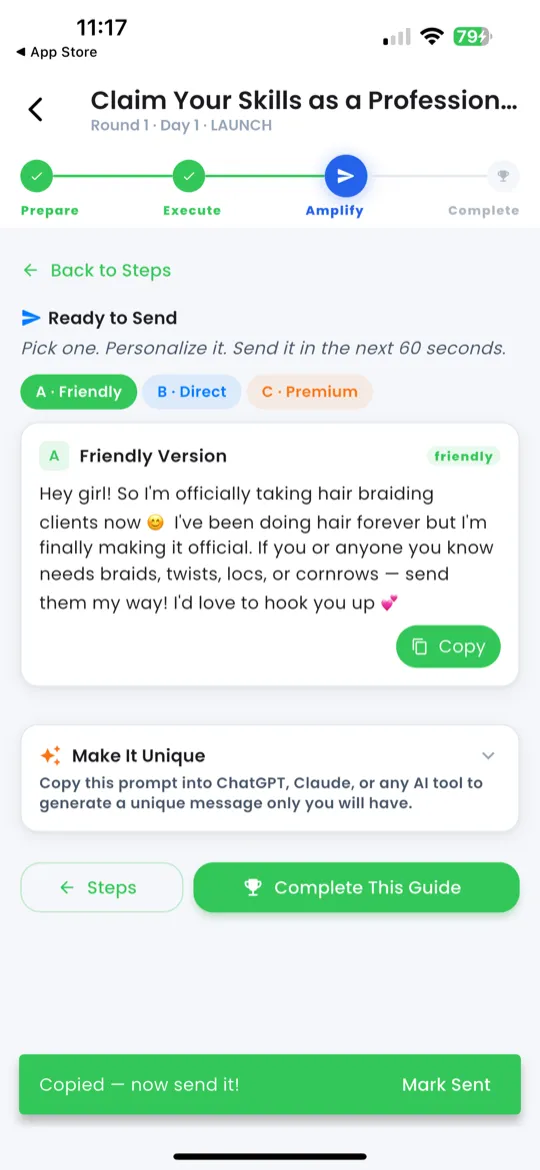
Each action card can expand into a full Action Guide — a step-by-step walkthrough broken into 4 phases.
Phase 1 — Prepare
Get ready before you execute. This phase sets the context — what you need, who you're reaching out to, and why.
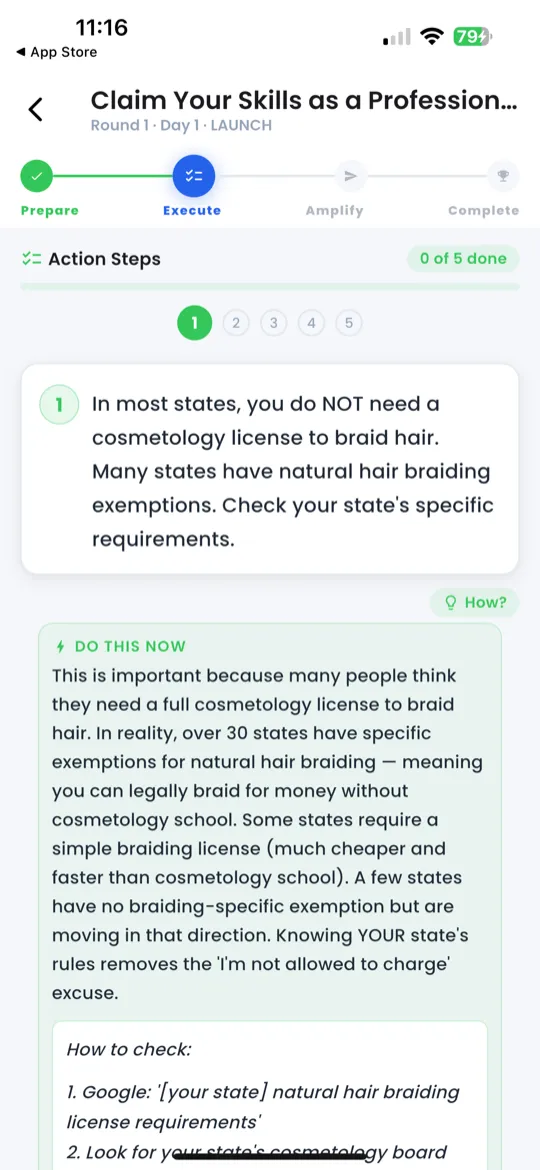
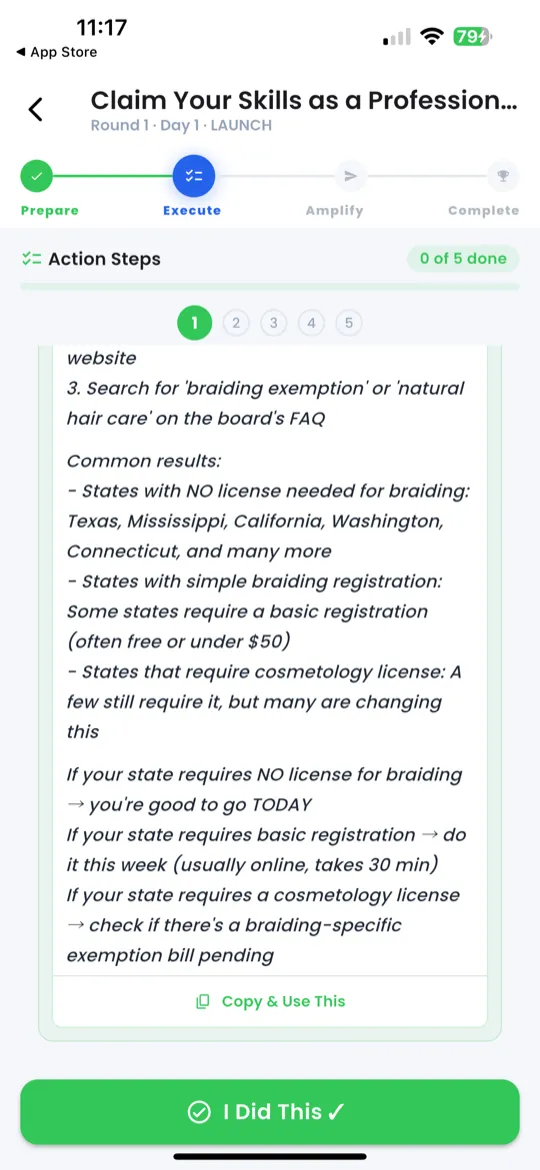
Phase 2 — Execute
Numbered steps with "DO THIS NOW" panels that tell you exactly what to do. Swipe left and right to navigate between steps.
Phase 3 — Amplify
Send follow-up messages using one of 3 tone options — displayed as pills on the same line:
- A · Friendly (green) — warm, casual tone.
- B · Direct (blue) — professional, to the point.
- C · Premium (gold) — polished, high-value tone.
Tap a tone pill to see the message, then copy & send.
Phase 4 — Complete
Wrap up the action. Review what you did, confirm results, and mark the task as done.
Round Playbook
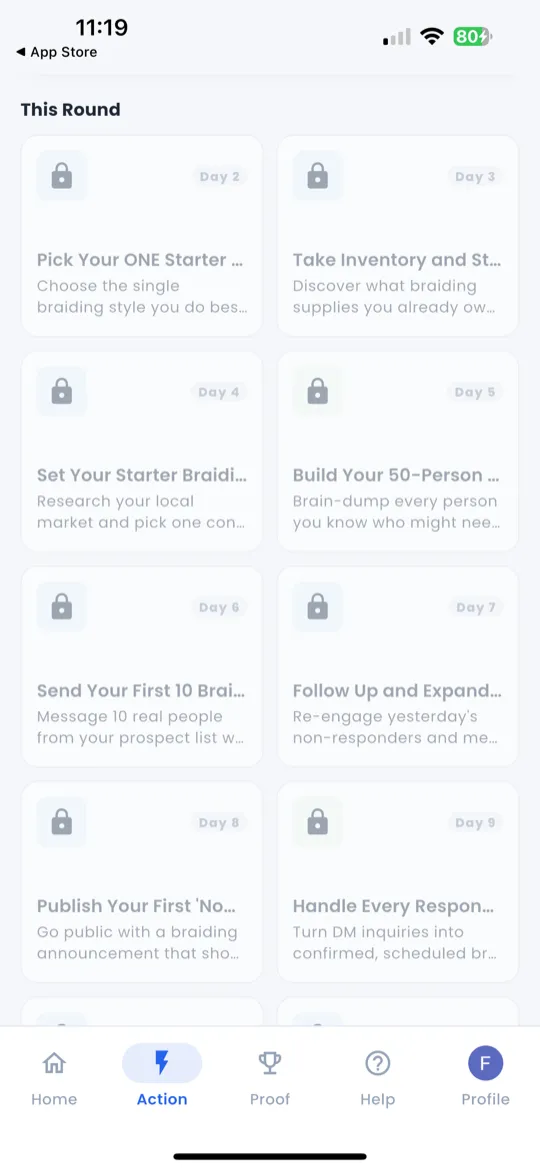
The Round Playbook gives you a visual overview of all 7 days in your current round.
- See the mission list for every day at a glance.
- Completed days show completion badges.
- Tap any day to preview its actions (you can only execute the current day).