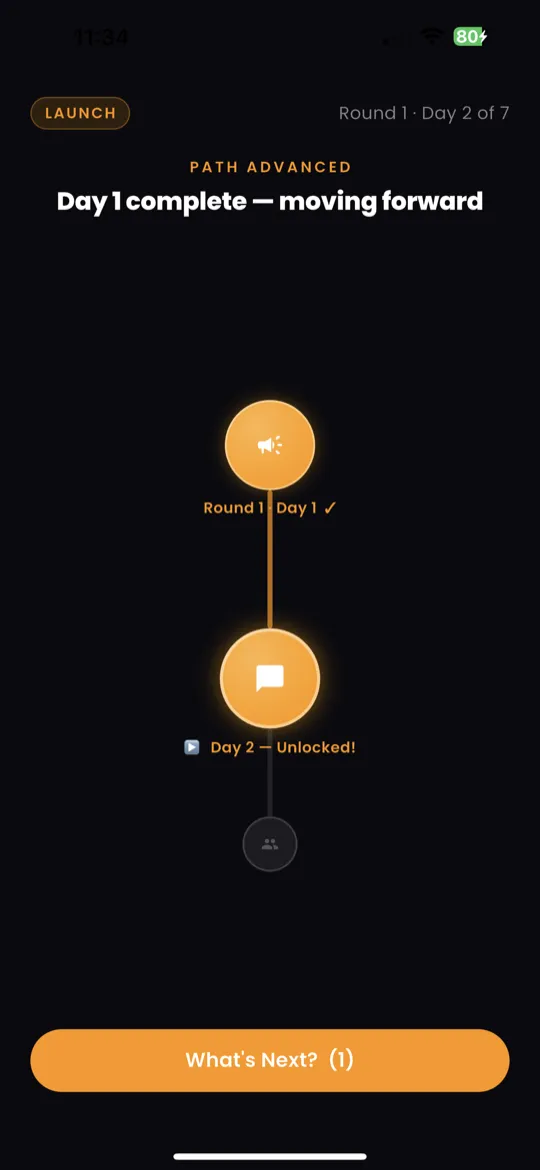
What Is a Round?
A round is a 7-day mission cycle. Each round focuses on a specific set of actions designed to move you closer to earning from your gift.
- Round 1 — Founding: Lay the groundwork — define your offer, message your network.
- Round 2 — Offering: Build and present your first paid offering.
- Round 3+: Advanced rounds that deepen skills, scale outreach, and grow revenue.
There are 30 rounds total, organized across 5 income phases. Each phase unlocks new strategies and more advanced missions.
Challenge Screen
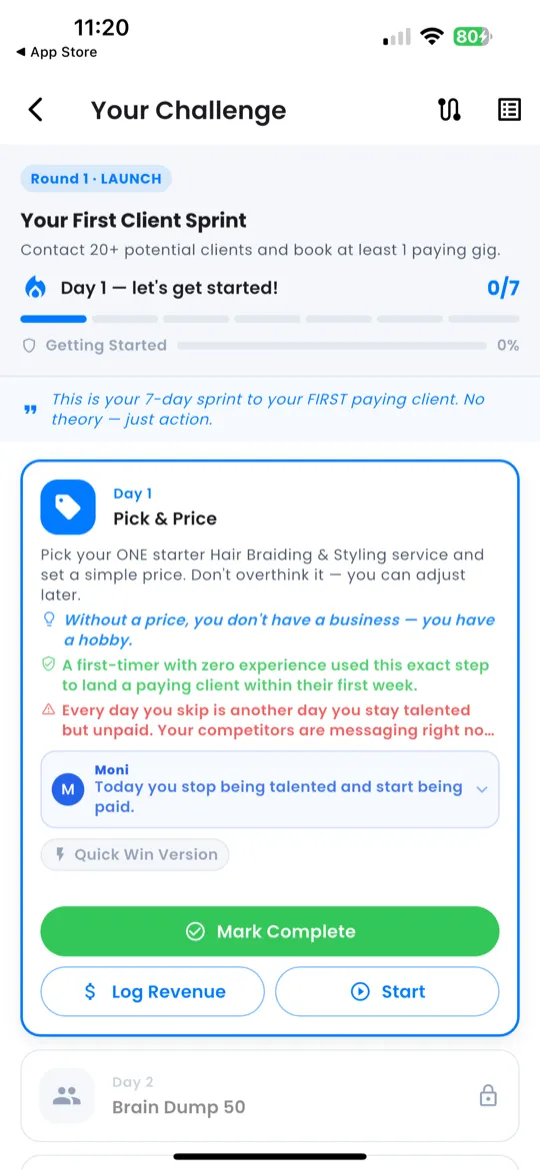
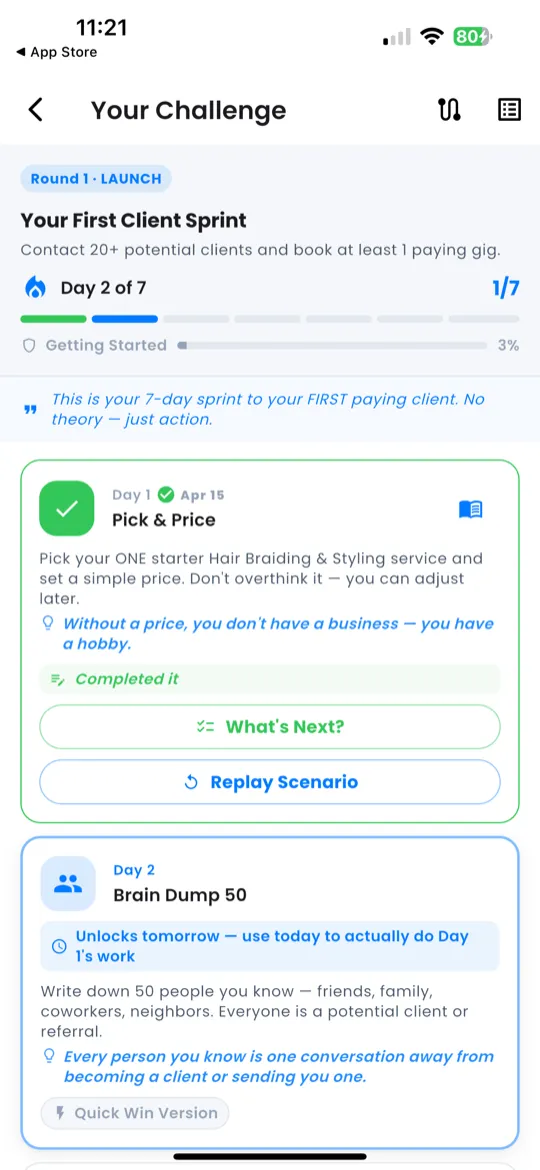
The Challenge screen is your progress dashboard for the current round. At the top you'll see:
- Header badge — shows the round name (e.g., "Round 2 · Offering").
- Progress indicator — e.g., 3/7 days completed.
- 7-dot strip — a visual row of 7 dots:
- 🟢 Green = completed day
- 🔵 Blue = today (current day)
- ⚪ Gray = future day (not yet reached)
- Streak badge — your current consecutive-day streak.
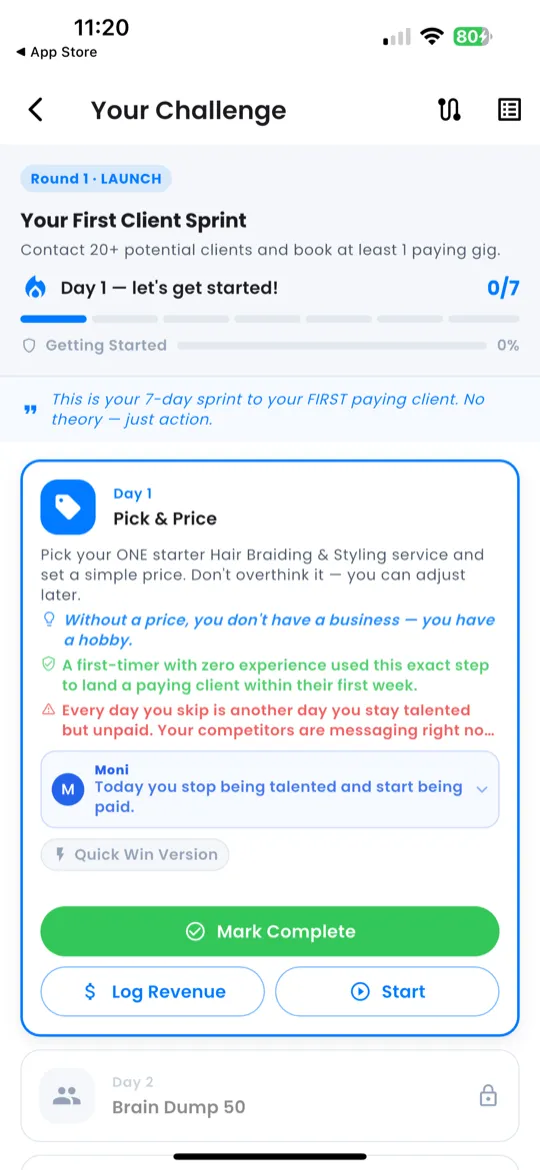
Day Cards
Below the progress strip is a list of day cards — one for each of the 7 days. Each card shows:
- Day number — e.g., Day 4.
- Mission title — a short name for the day's focus.
- Details — a brief description of what you'll do.
- Timestamp — when you completed the day (if applicable).
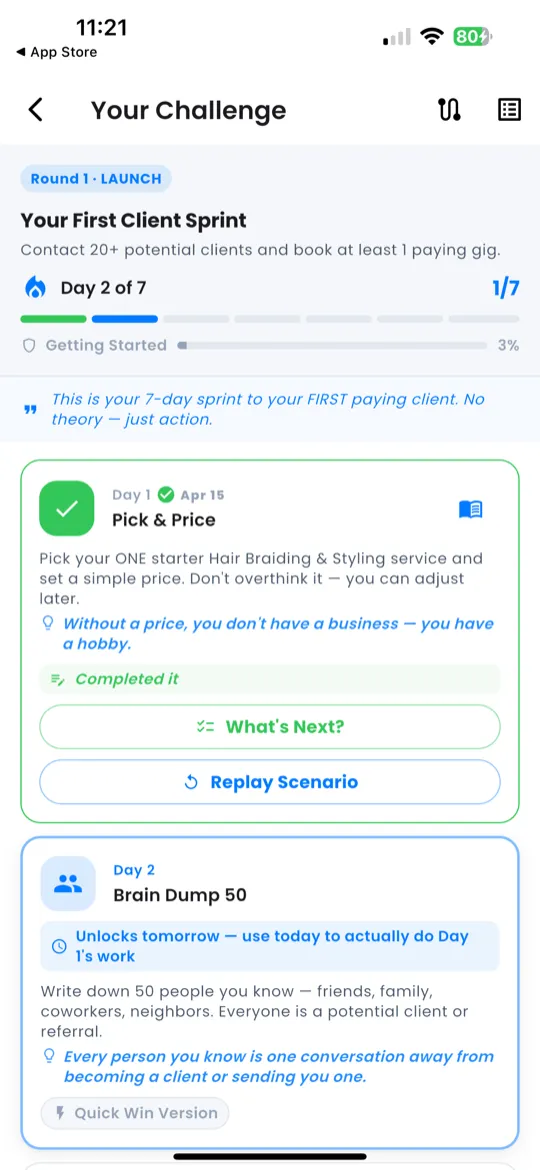
How to Complete a Day
- Go to the Action tab and work through today's action guide.
- Follow the 4 phases: Prepare → Execute → Amplify → Complete.
- When you're done, open the Daily Check-In (from Home or the Action tab).
- Submit your check-in — the day is marked ✅ on the challenge screen.
Moving to the Next Round
Once you complete all 7 days in a round:
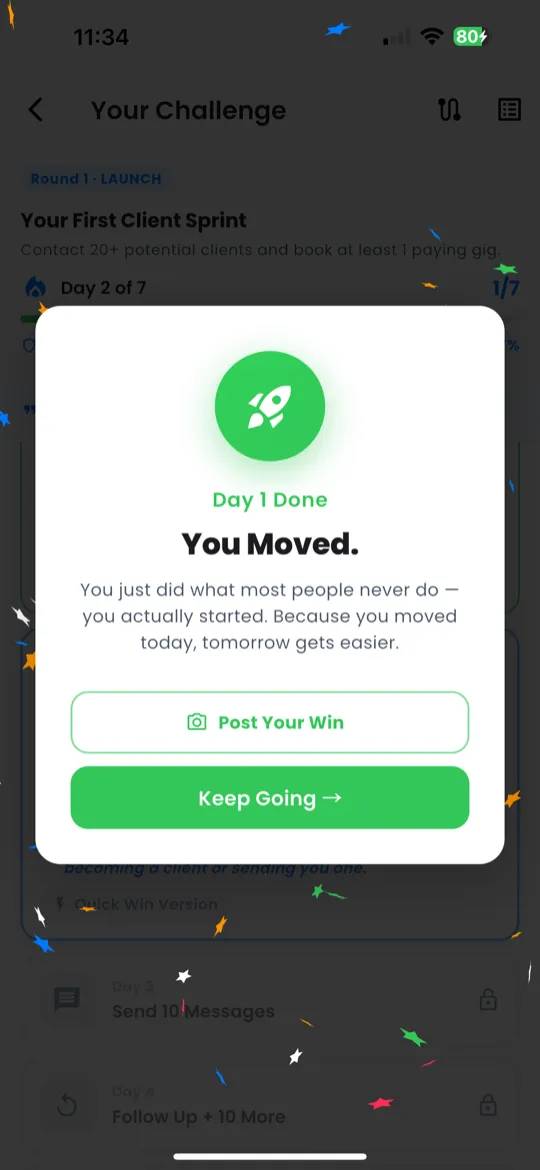
- A celebration screen appears, congratulating you on finishing the round.
- Tap "Start Round X+1" to begin the next round.
- Your 7-day progress resets — new missions, fresh dot strip, same momentum.
Income Path Map
Want to see the big picture? Open the Income Path from the Command Dock on the Home screen.
- A serpentine road visual shows all 30 rounds.
- Rounds are grouped into 5 income phases, each with a phase gate marking the transition.
- Your current position is highlighted so you can see how far you've come and what's ahead.