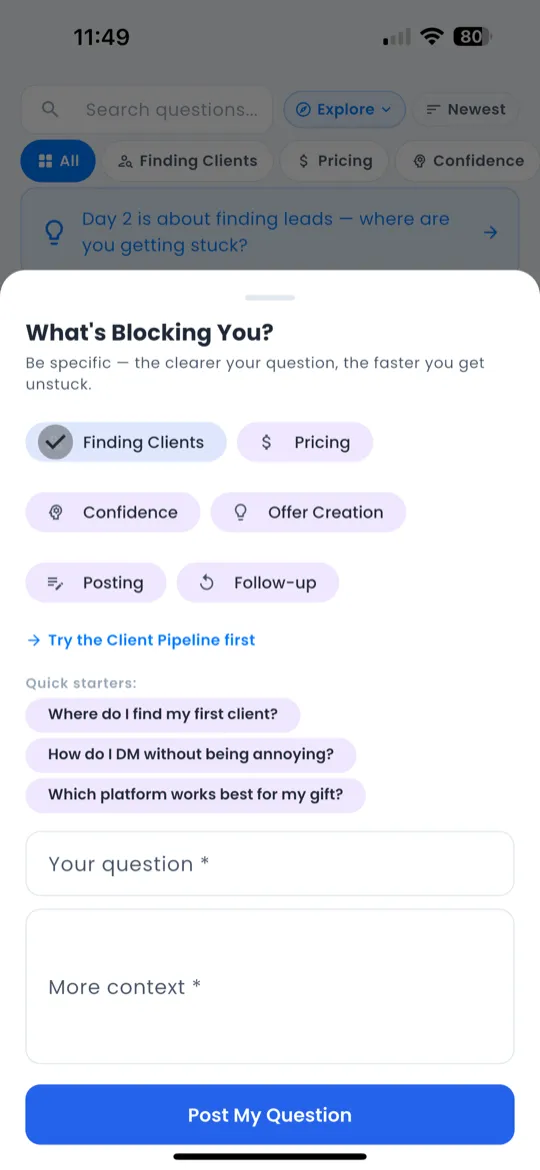
Proof Tab 🏆
The Proof tab is the 3rd icon in the bottom navigation bar. It's a community feed where members share real wins and revenue milestones.
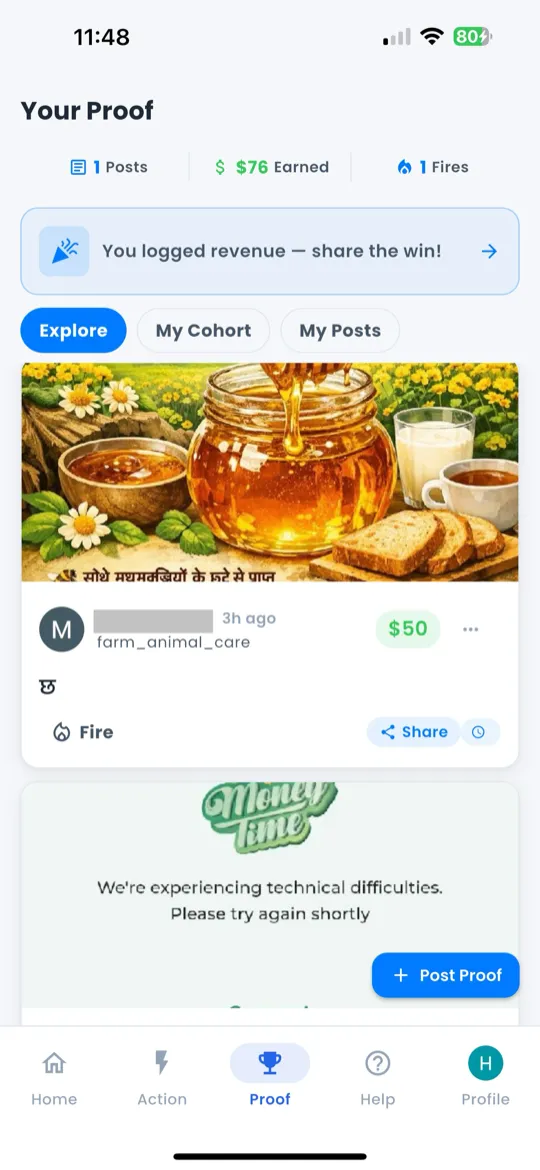
Three Modes
At the top of the Proof tab you'll find a 3-mode toggle:
- Explore — see proof from the entire Giftdemy community.
- Cohort — see proof only from members in your current cohort.
- Mine — see only your own proof posts.
Your Stats
Below the mode toggle, your personal stats are displayed:
- Posts — total number of proof posts you've shared.
- Earned — total revenue you've logged.
- 🔥 Fire — total fire reactions you've received from the community.
The Feed
Each proof card in the feed shows:
- Avatar + Name of the poster.
- Revenue amount (color-coded by tier).
- 🔥 Fire count — how many reactions it has received.
- Text — the poster's description of their win.
- Timestamp — when it was posted.
Tap the 🔥 icon to react. Tap the card to view full details.
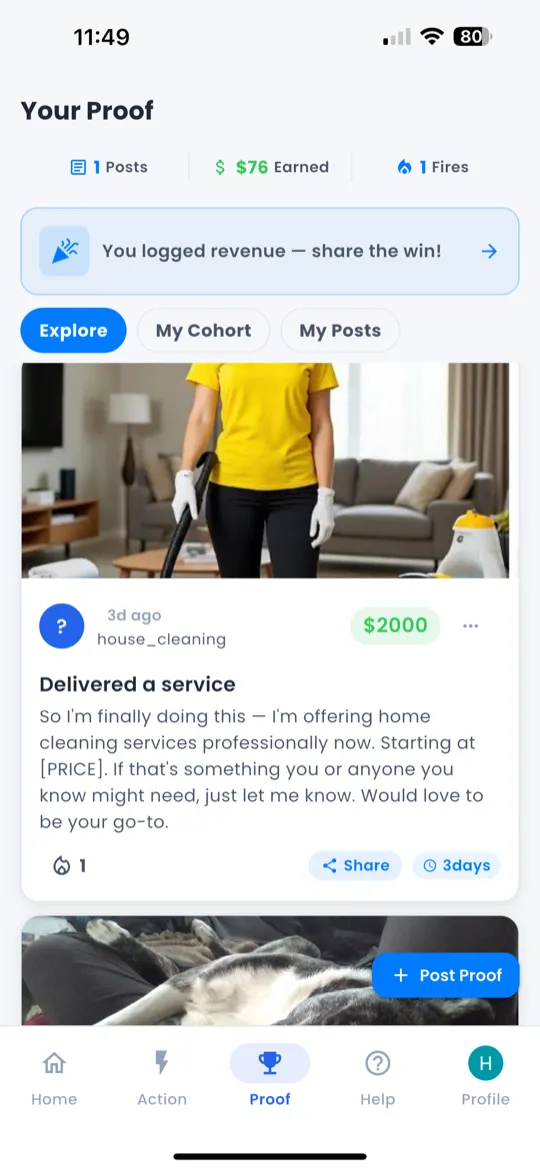
Posting Proof
- Tap the + button on the Proof tab.
- Enter your achievement — describe what you accomplished.
- Optionally enter the revenue amount earned.
- Tap Post to share with the community.
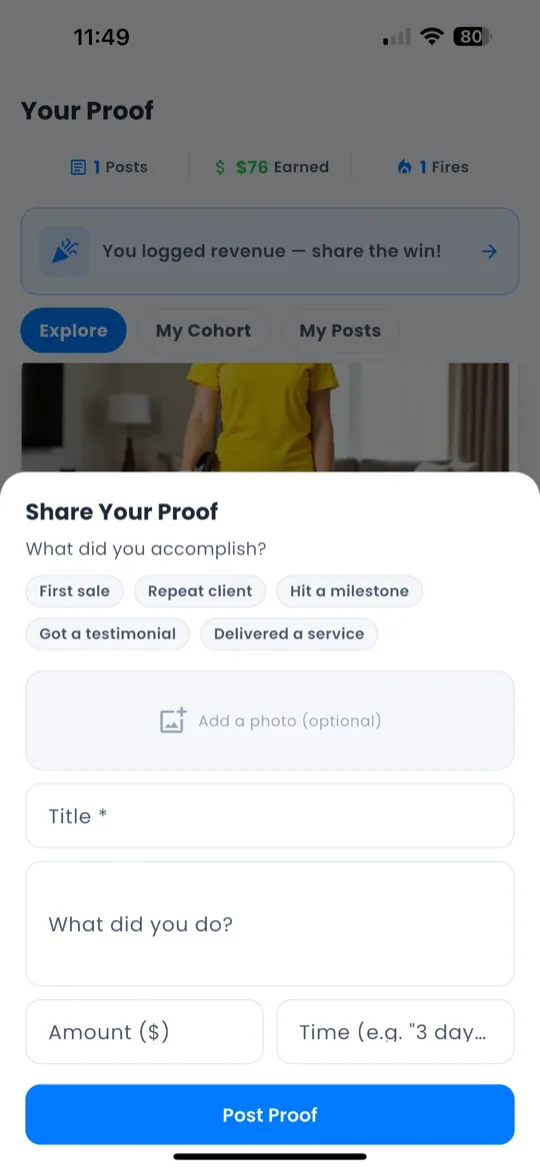
Help Tab ❓
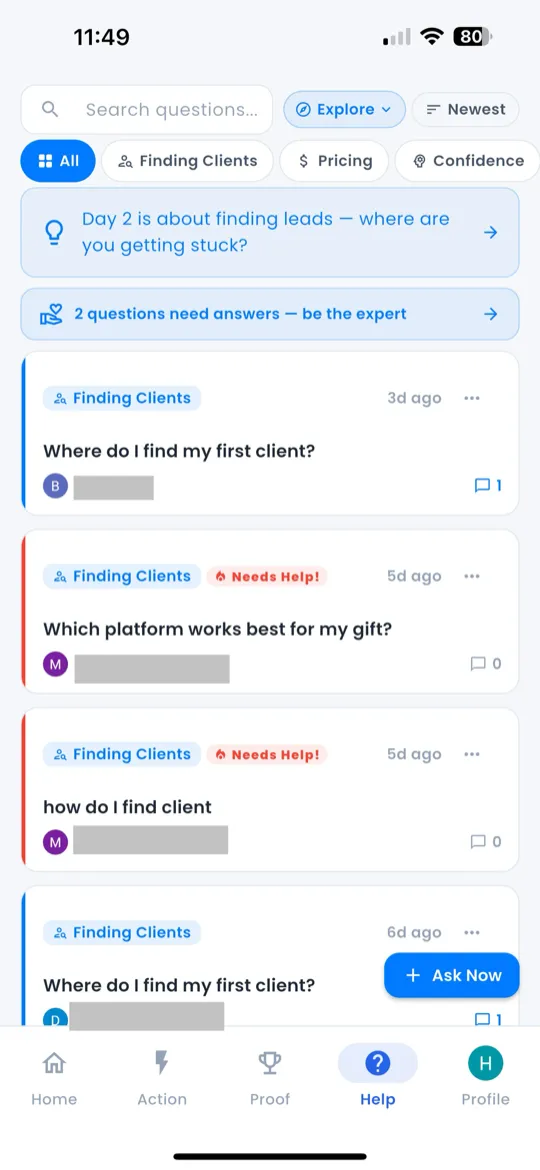
The Help tab is the 4th icon in the bottom navigation bar. It's a Q&A community where members ask and answer business questions.
Like the Proof tab, it offers the same 3 modes: Explore, Cohort, and Mine.
Category Filters
Filter questions by topic using the chip buttons at the top:
| Category | Topics Covered |
|---|---|
| Finding Clients | Lead generation, outreach, networking |
| Pricing | Setting rates, packages, value-based pricing |
| Confidence | Imposter syndrome, mindset, selling fears |
| Offer | Structuring services, bundles, deliverables |
| Posting | Social media content, captions, frequency |
| Follow-up | Client follow-ups, closing, objections |
Search & Sort
Use the search bar to find questions by keyword. Sort results by:
- Newest — most recently posted questions first.
- Most Helpful — questions with the highest-rated answers.
- Most Popular — questions with the most engagement.
Tap a question to view the full text, category badge, author info, and all replies with ratings.
The Help tab also includes Day-Aware Hints — contextual tips that change based on your current challenge day.
Asking a Question
- Tap the Ask button on the Help tab.
- Type your question.
- Select a category from the dropdown.
- Tap Submit to post your question to the community.